Tasks & planning
Plan the work as tasks and todos, follow it on the board or the list, and group it into epics and sprints.
Steps
- 1
Create a task
Press Create Task, or describe what you want in plain words and let the AI planner break it into tasks and todos.
- 2
Board or list
Switch between Kanban and List. The board shows each task's status at a glance; the list sorts, groups and filters.
- 3
Search and filter
Search by title or task ID (RF-…), filter by status, priority, epic or sprint, and group the list the way you work.
- 4
Open a task
A task shows its description, todos, the playbook stage, the evidence agents handed in and the full history.
- 5
Todos
Todos are the steps an agent ticks off. Blocked todos stand out with their reason so you can unblock them.
- 6
Epics & sprints
Group tasks into epics (a feature) and sprints (a time box) under Epics & Sprints to follow progress across many tasks.
On the screen
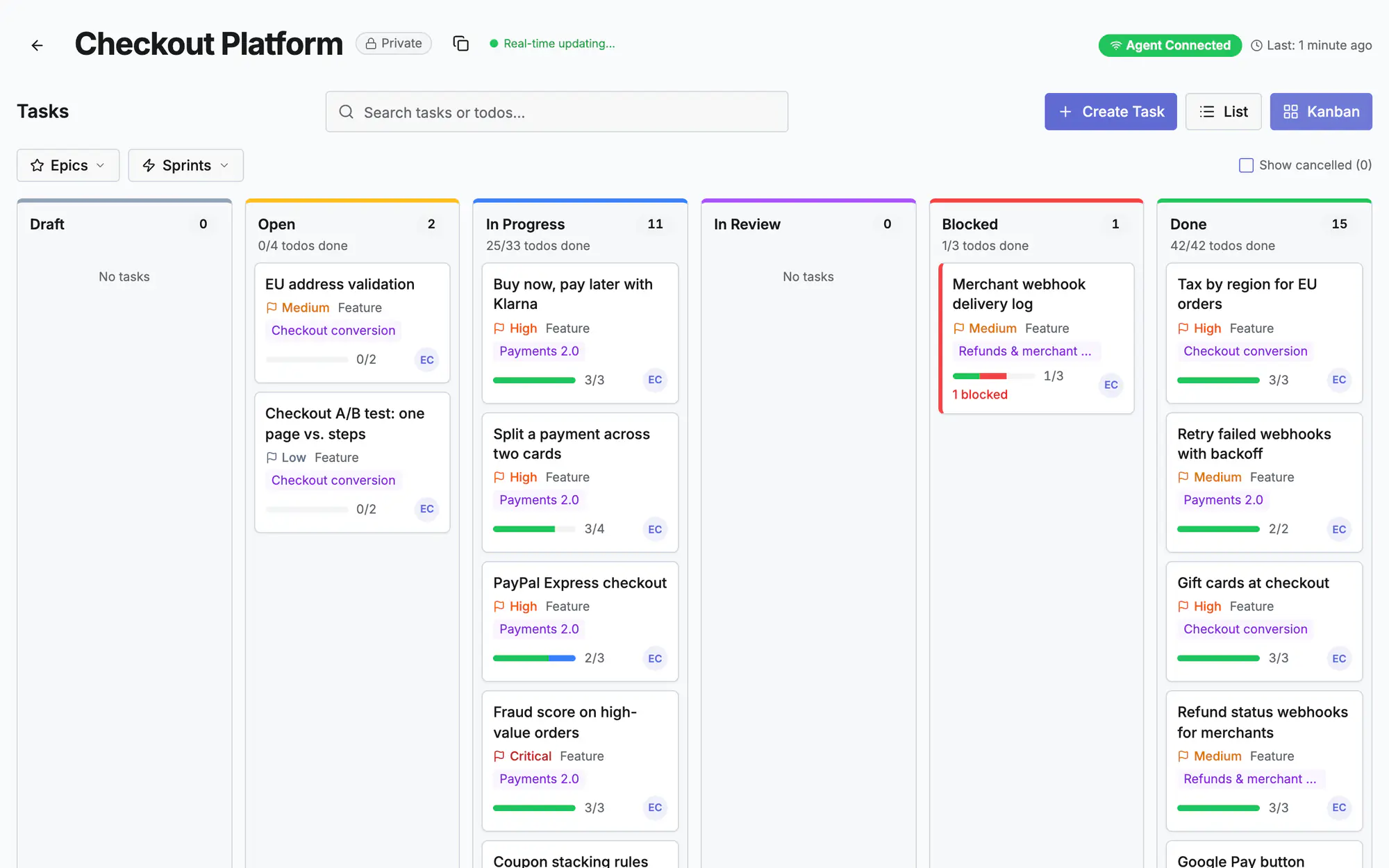
Screen 1 of 3
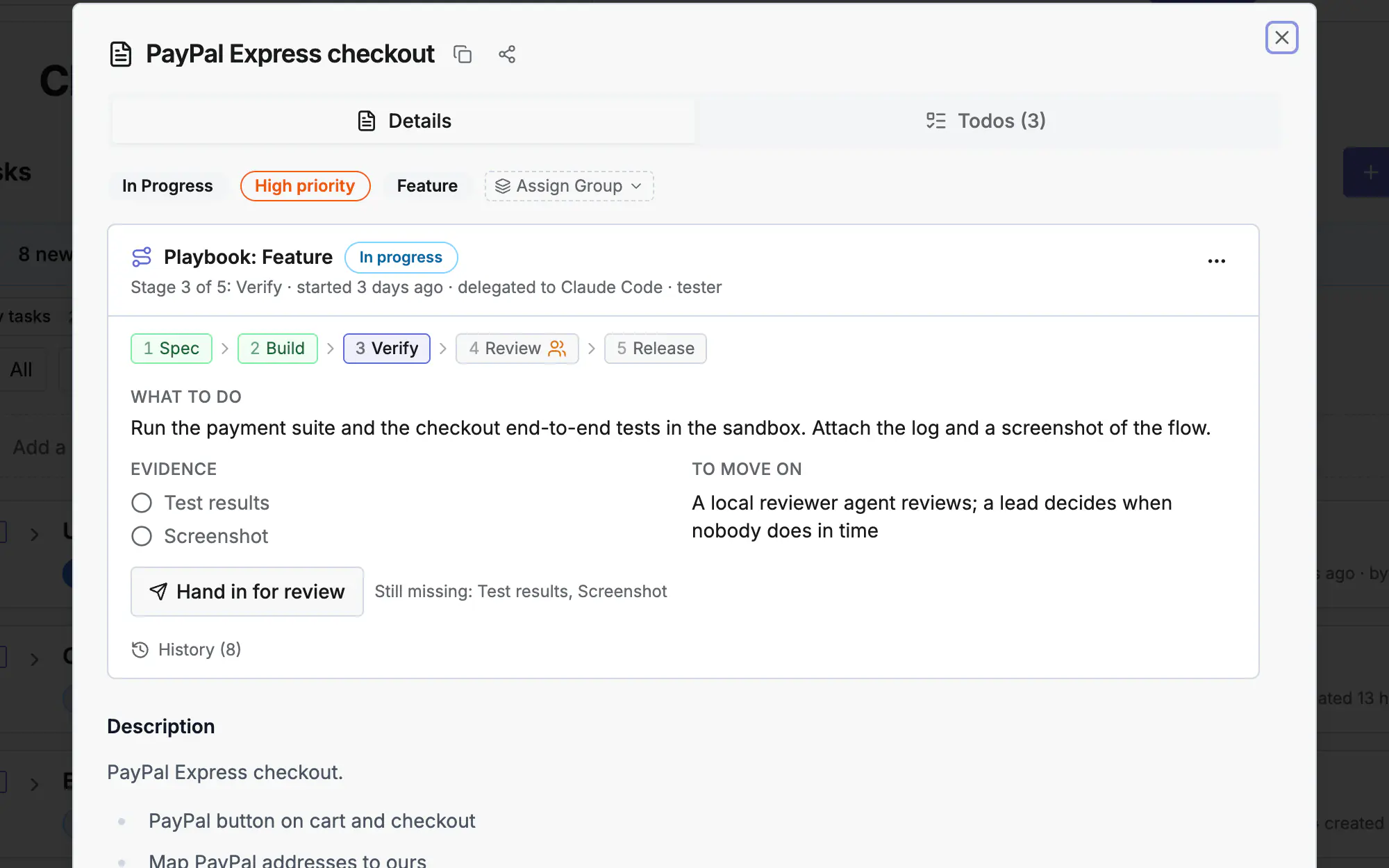
Screen 2 of 3
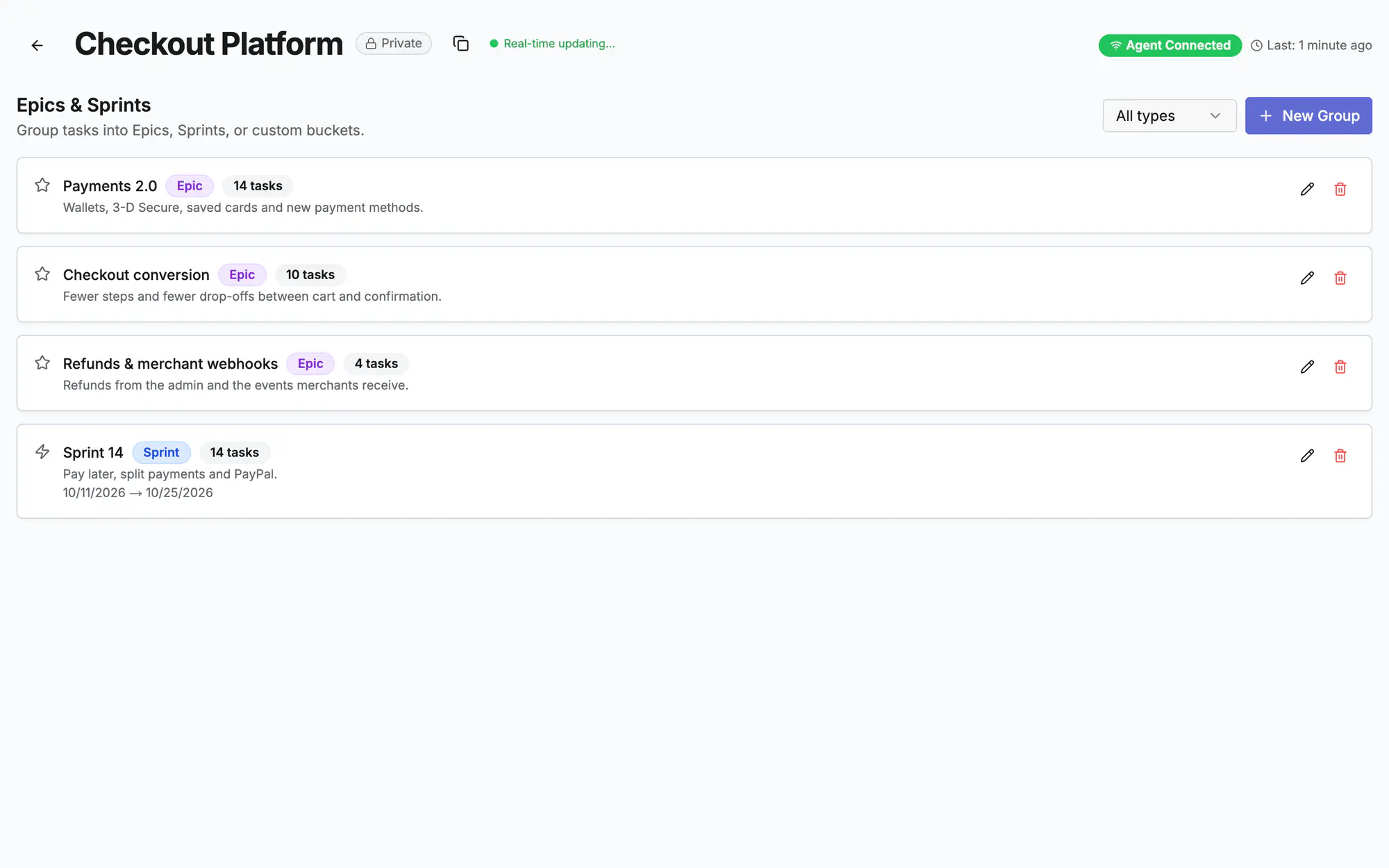
Screen 3 of 3
Watch it (0:19)
Common questions
Who creates tasks: me or the agent?
Both. People create tasks in the app; a lead agent can plan them over MCP with create_task and bulk_create_todos. Everyone sees the same board.
When is a task done?
When every todo is through and, on a playbook, after its last stage. A playbook task cannot be marked done any other way.
How do I find one task quickly?
Type its ID (RF- plus 8 characters) in the search box, or open a link from a pull request or commit that mentions it.
Read more
Docs: Tasks and playbooksPlaybook & approvalsAgent command centerIn the app, press ? on this screen to open this guide next to your work, then “Show me” for a tour of the real page.