Playbook & approvals
Let agents move work stage by stage, with evidence at each stage and a person deciding where it matters.
Steps
- 1
Stages
A playbook (for example Spec → Build → Verify → Review → Release) is the path a task takes. Each stage tells the agent what to do.
- 2
Evidence
Each stage lists the evidence an agent must hand in: a note, a diff, a test log, a pull request link, a screenshot.
- 3
Gates
A gate decides who lets the stage through: automatically once the evidence is in, a reviewer agent, or a person (a member or a lead).
- 4
Approve or return
Stages waiting for you appear under Review → Needs you. Read the evidence, then Approve, or Return with what to fix.
- 5
Set the autonomy
In Playbooks, choose where people step in. Put review gates only where a mistake would cost something; the rest runs on its own.
On the screen
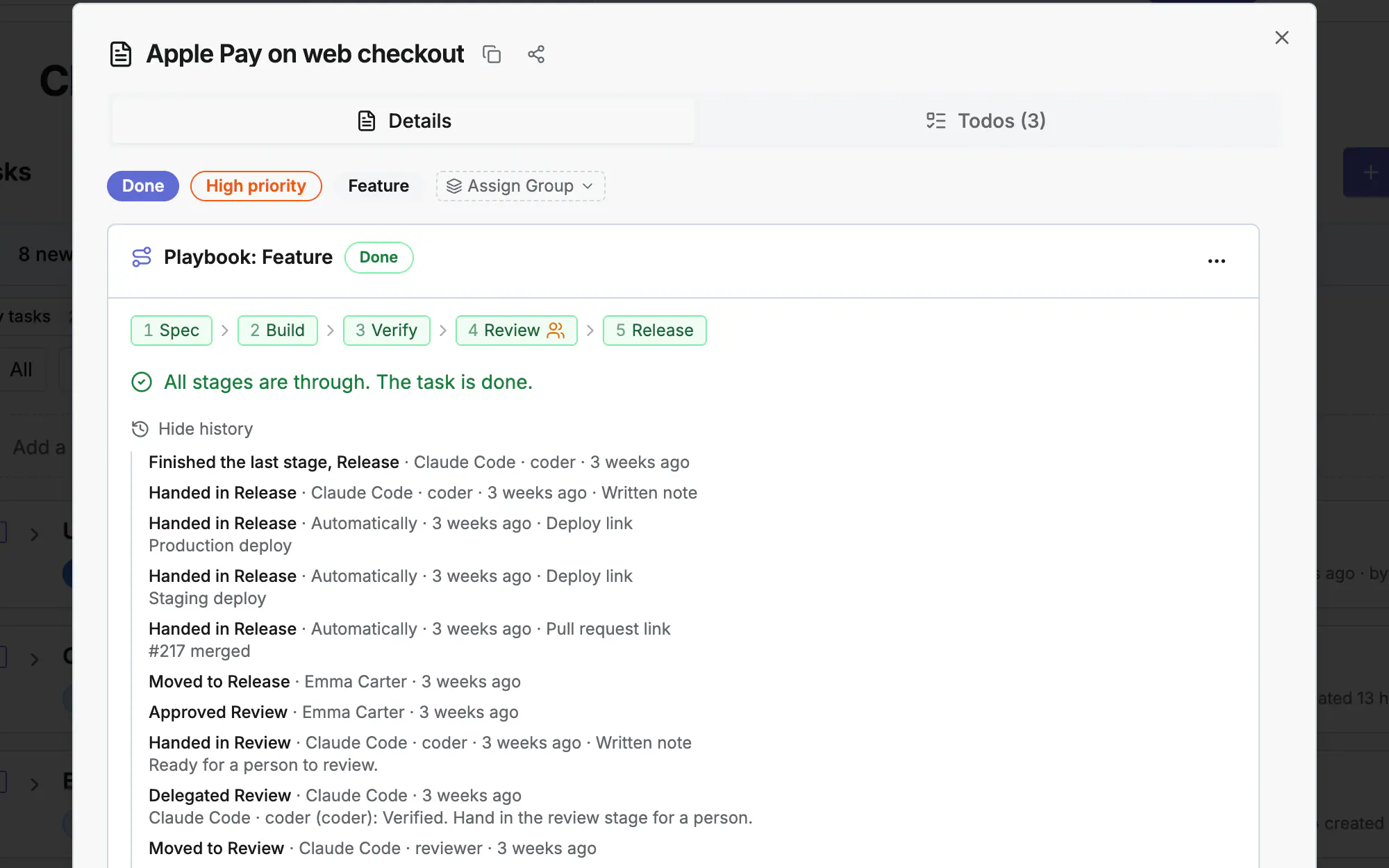
Screen 1 of 3
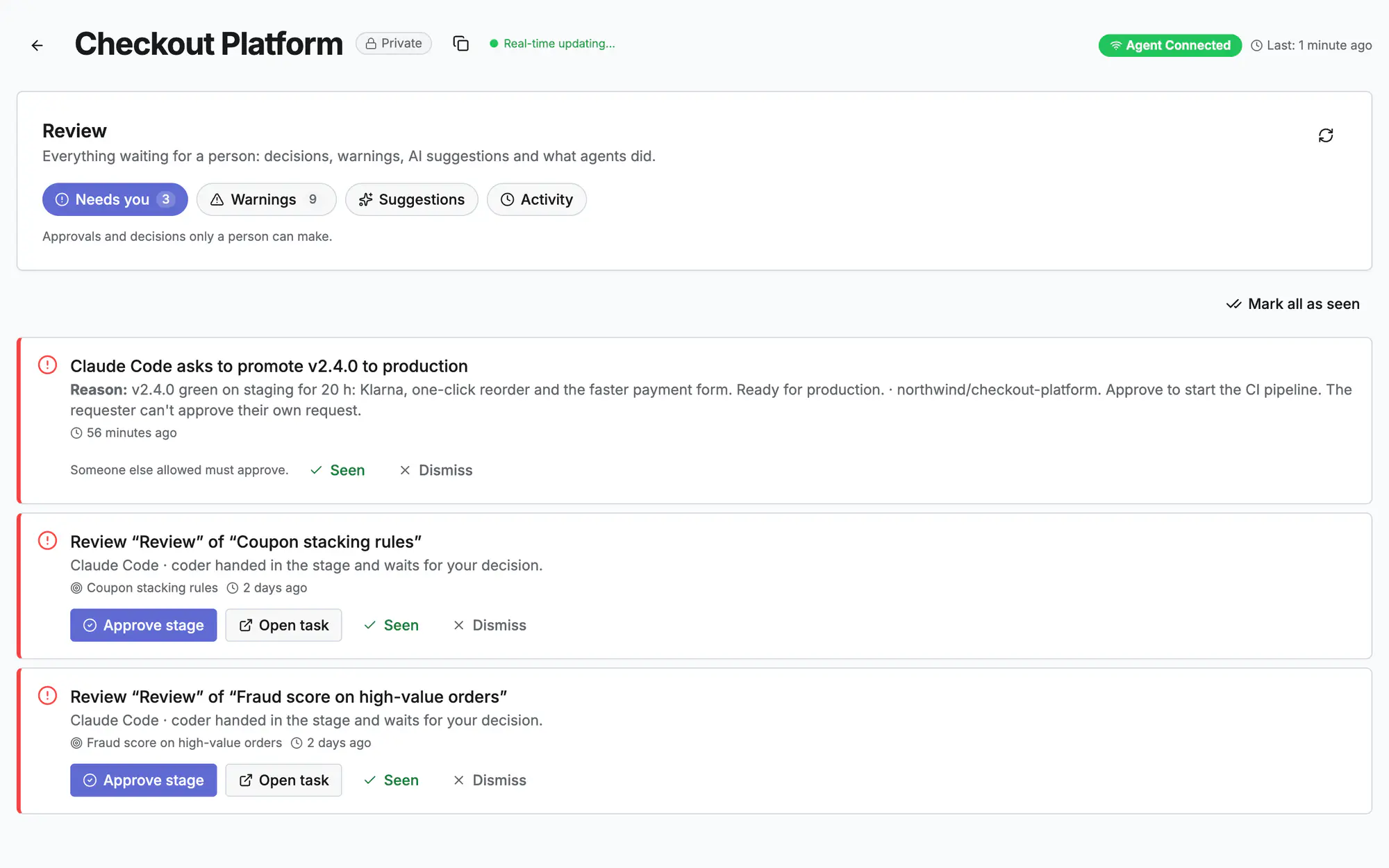
Screen 2 of 3
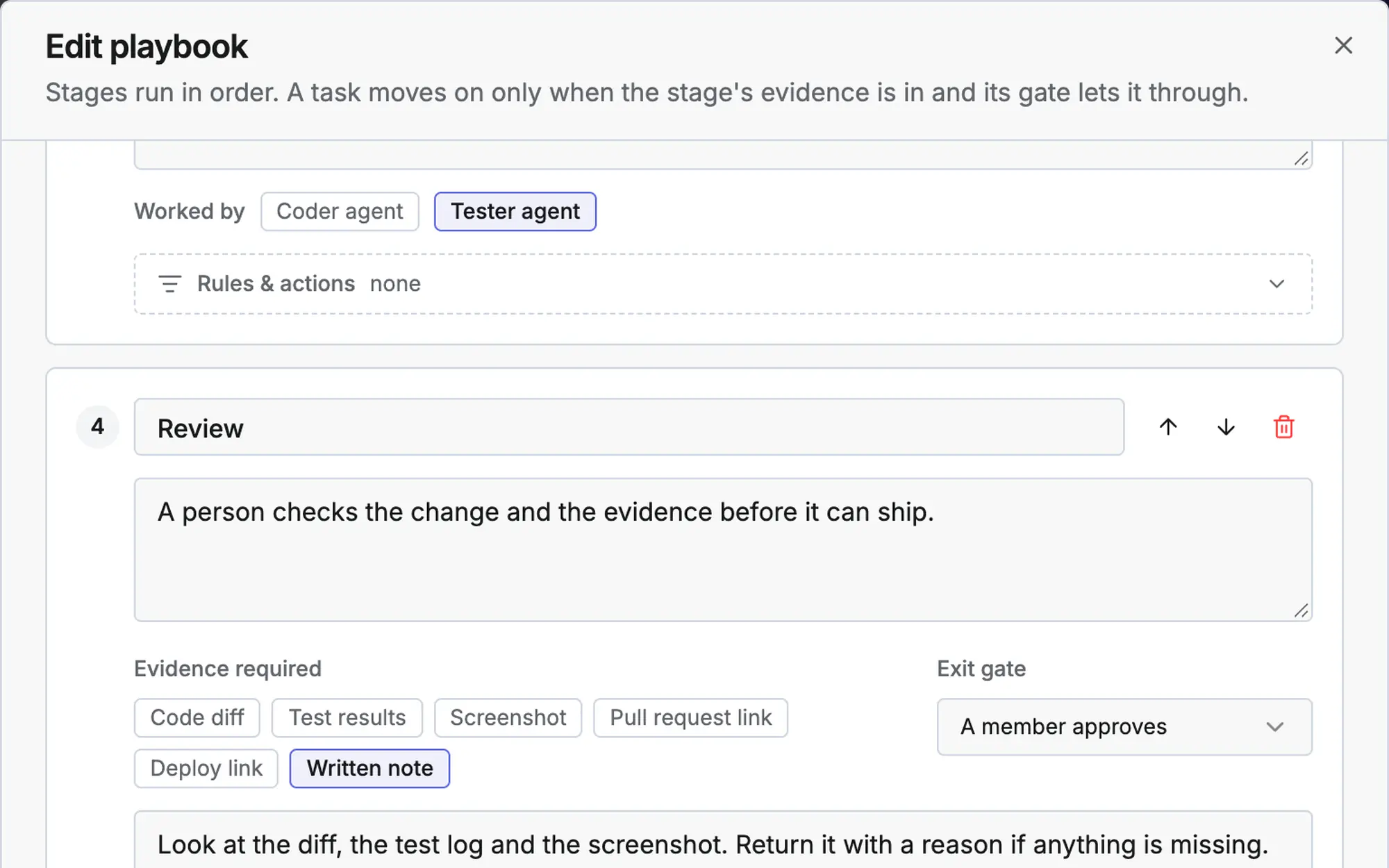
Screen 3 of 3
Watch it (0:20)
Common questions
What happens when I return a stage?
The task goes back to that stage with your reason. The agent sees it on its next call, fixes it and hands the stage in again.
Can an agent approve its own work?
No. A reviewer agent has its own token and role, and a person's gate can only be passed by a person with the right project role.
Which tasks follow a playbook?
New tasks of the types a playbook covers, or the project default. You can also put a task on a playbook by hand.
Read more
Docs: Tasks and playbooksTasks & planningReleases & deploymentsIn the app, press ? on this screen to open this guide next to your work, then “Show me” for a tour of the real page.