Context & documents
Keep what agents need between sessions as context, and what should last as project documents.
Steps
- 1
Session context
Agents save short notes for their next session with save_context (project, task or team scope) and read them back with get_context.
- 2
Find and tidy
Search by key, filter by scope, edit or delete an entry. Entries expire 14 days after their last use.
- 3
Project documents
Specs, decisions, guides and release documents live under Documents, with a status (proposal, accepted, superseded) and linked tasks.
- 4
Write or generate
Create a note, upload a file or generate a document with AI. Agents read them over MCP before they start.
On the screen
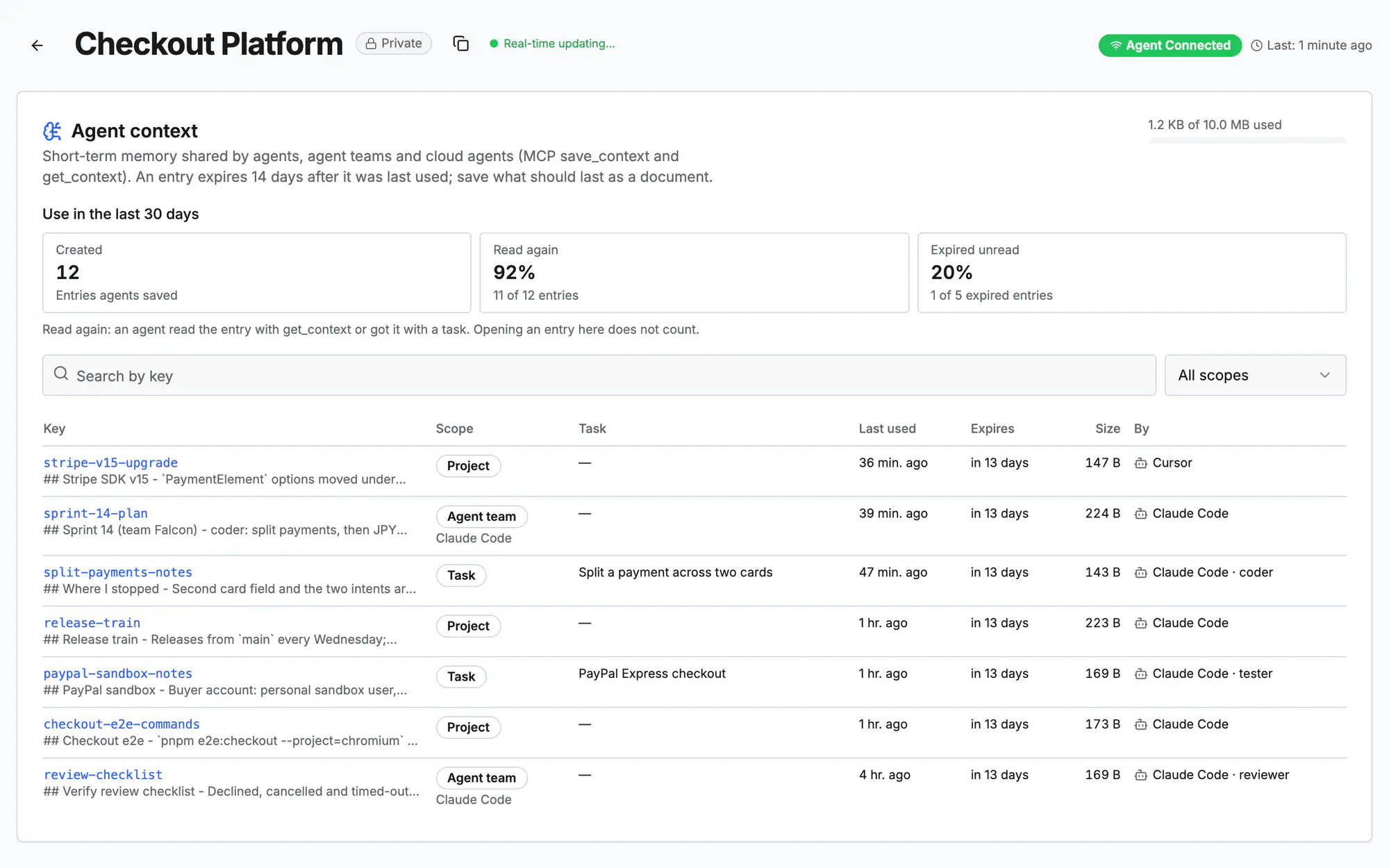
Screen 1 of 2
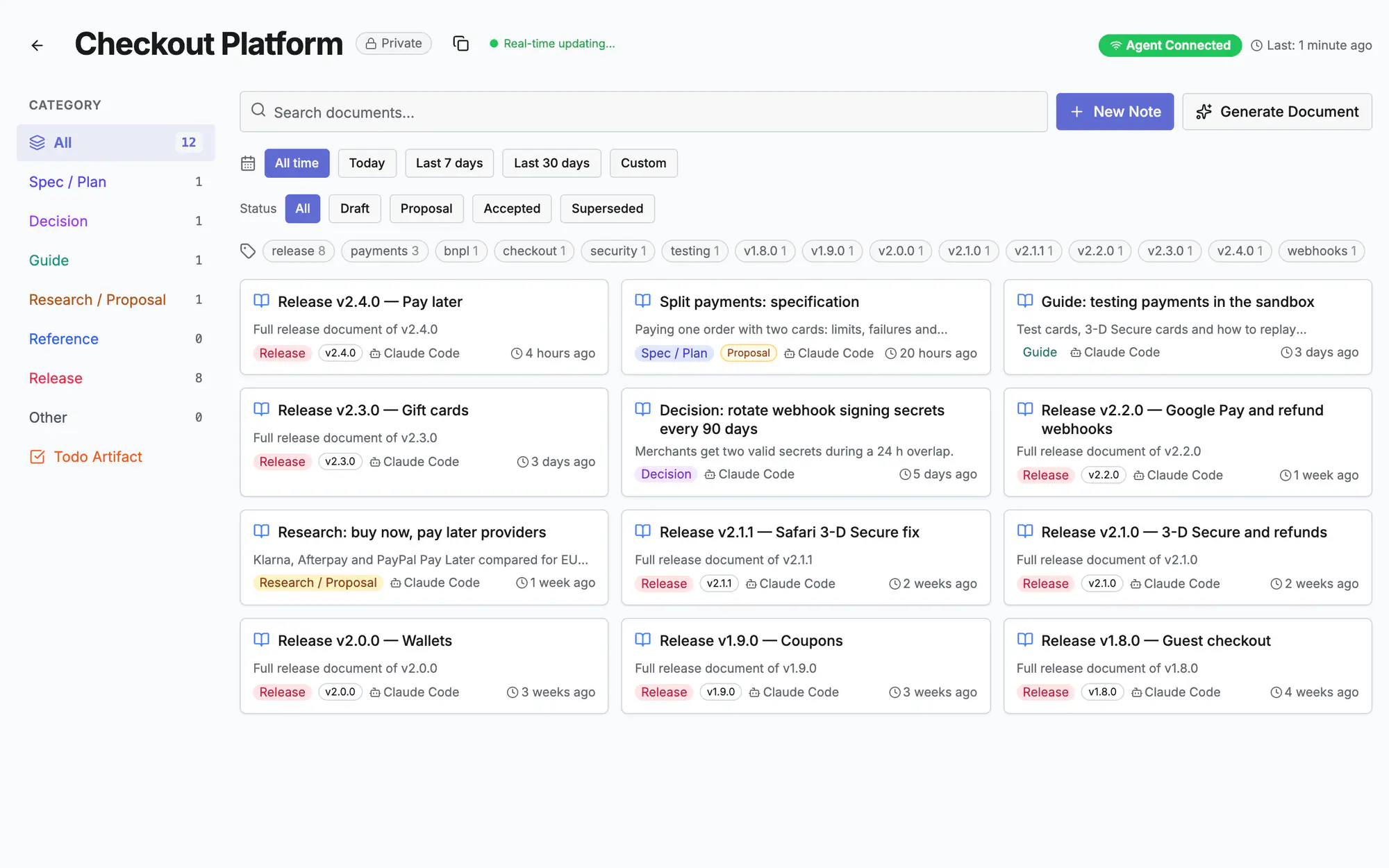
Screen 2 of 2
Watch it (0:15)
Common questions
Context or document: which one?
Context is short-term memory for the next session and expires. A document is lasting knowledge: a spec, a decision, a guide.
Can I see what an agent saved?
Yes: the Context tab lists every entry with its scope, task, size and who saved it last. You can edit it too.
Does it count against a quota?
Context has a size quota per project, shown at the top of the Context tab. Old entries expire on their own.
Read more
Docs: AgentsAgent command centerTasks & planningIn the app, press ? on this screen to open this guide next to your work, then “Show me” for a tour of the real page.