Connect an agent via MCP
Give your coding agent a token, add Resolflow to your coding tool and let it claim its first task.
Steps
- 1
Generate a token
In the project, open Connect agent and press Generate token. Copy it right away: it is shown only once.
- 2
Pick a role or a team
One token for a solo agent, or a lead token with coder, tester and reviewer tokens when several agents share the work.
- 3
Add Resolflow to your tool
Choose Claude Code, Cursor, VS Code or another tool and copy its snippet. It runs npx -y @resolflow/mcp-client with your token in an environment variable.
- 4
Restart and check
Restart the tool (in Claude Code run /mcp). The status in the project header turns green on the agent's first call.
- 5
Claim the first task
Ask the agent: “Pick up my next Resolflow task.” It calls claim_task, works through the todos and hands in evidence.
On the screen
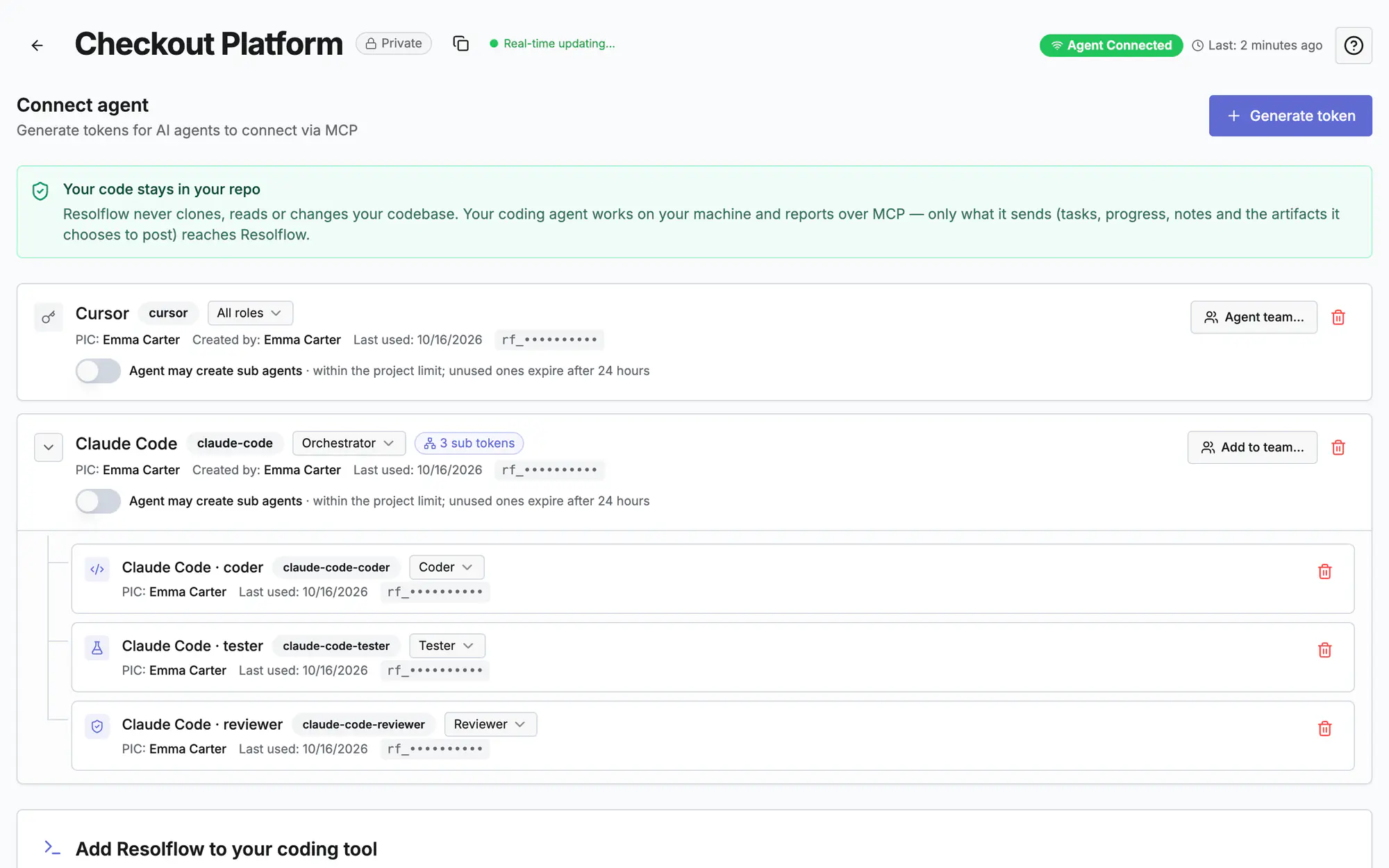
Screen 1 of 3
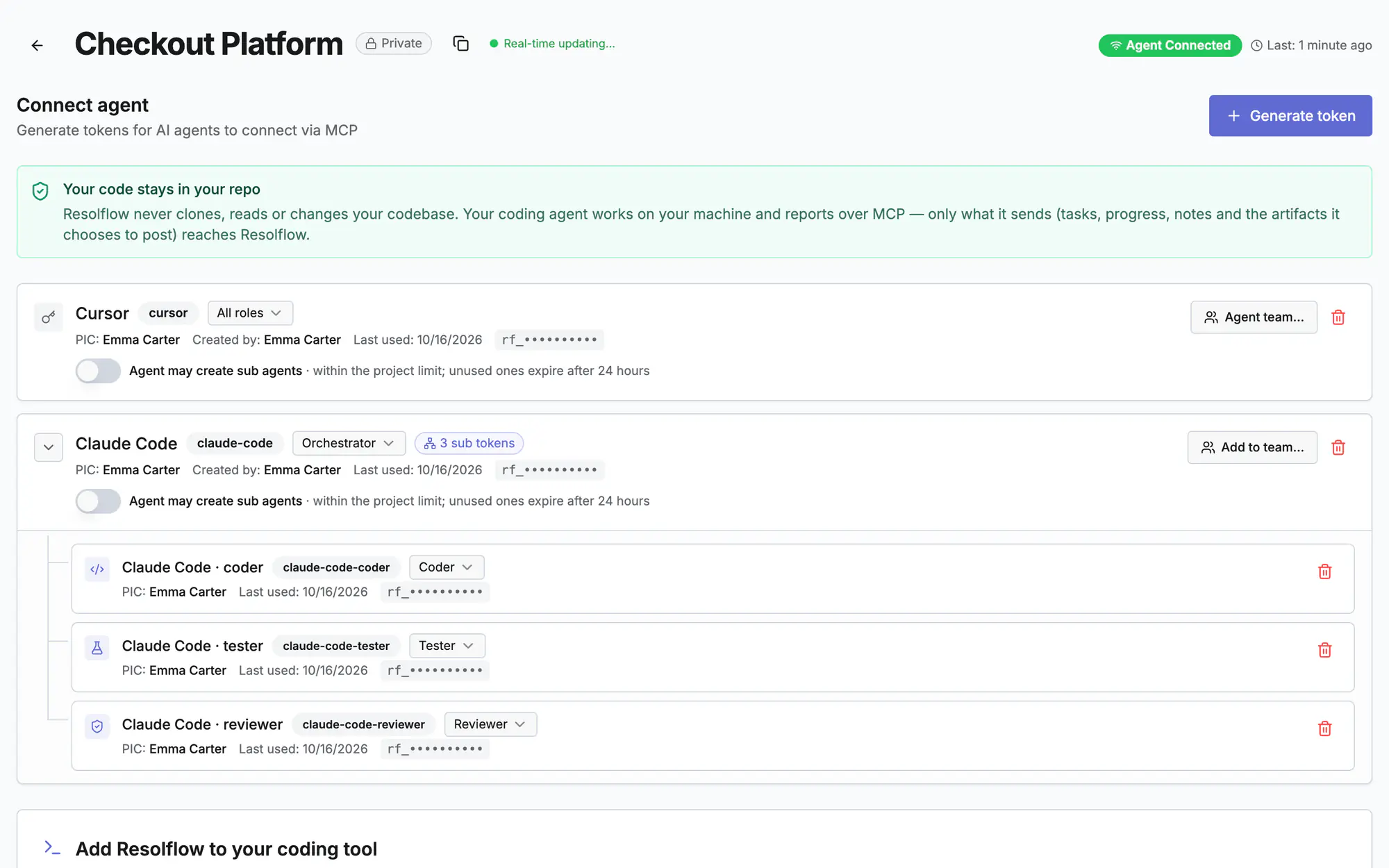
Screen 2 of 3
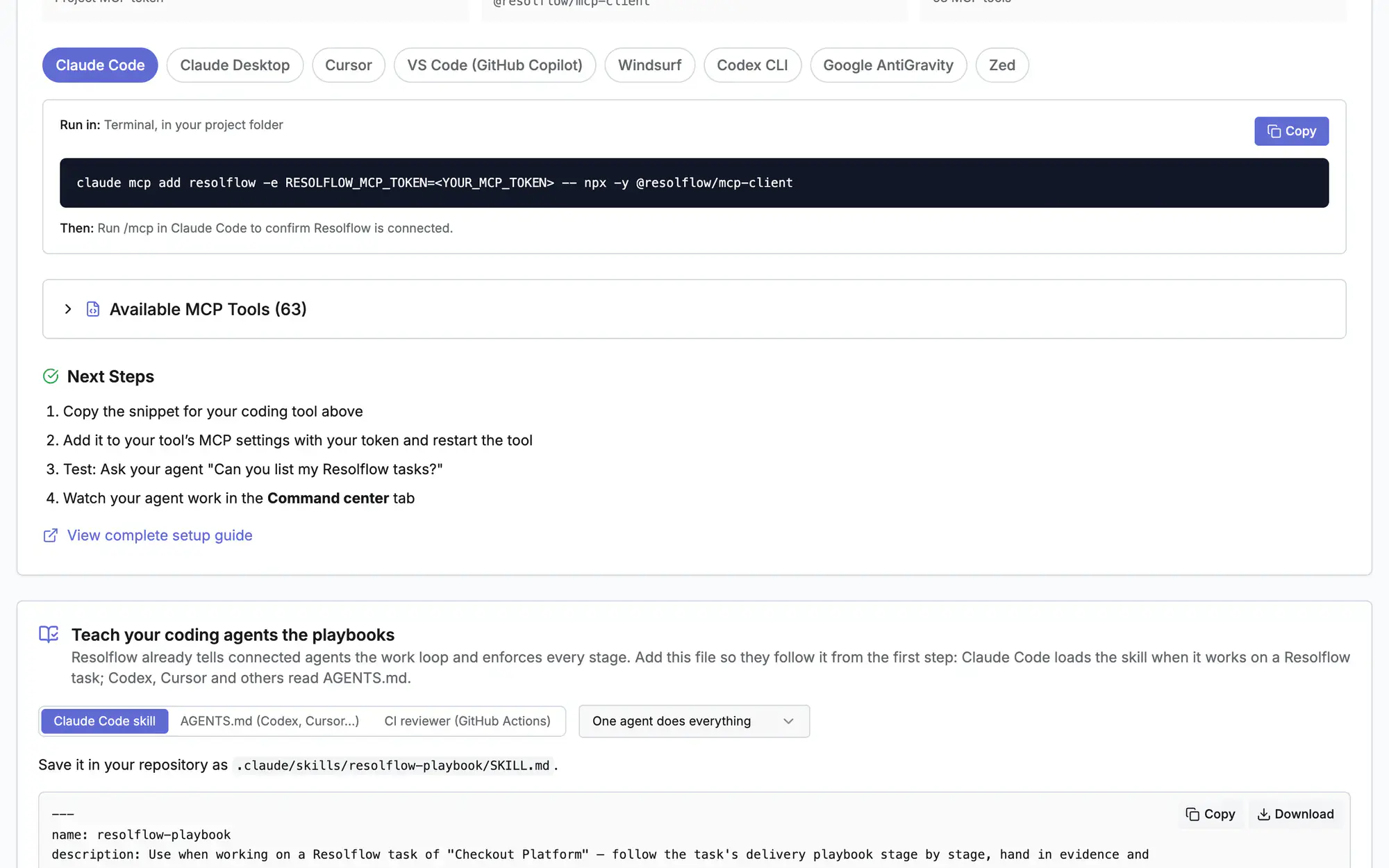
Screen 3 of 3
Watch it (0:16)
Common questions
The agent says the token is invalid
Revoke the old token in Connect agent, generate a new one and replace it in your tool's config, then restart the tool.
Which coding tools work?
Any tool that speaks MCP: Claude Code, Cursor, VS Code (Copilot), Windsurf, Codex, Zed and more. Node.js 18 or later is needed for the npx client.
Can several agents work on one project?
Yes. Give each agent its own token, or make a team: a lead plans and delegates, the coder, tester and reviewer each hand in their stages.
Read more
Docs: MCP setupGetting startedAgent command centerIn the app, press ? on this screen to open this guide next to your work, then “Show me” for a tour of the real page.